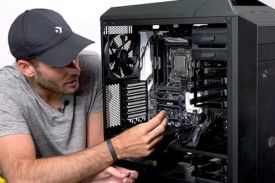
PC Builder: Part Picker és The Ideal Tool to Build your PC
Nowadays, more and more people are interested in building their own PC, whether to play games, develop software, or simply to work efficiently. However, this task can be overwhelming as it involves choosing specific components and compatibility between them. This is where it comes into play PC Builder: Part Picker, an application designed to facilitate the process of selecting and purchasing parts to build a personalized computer.
The app not only helps find the right components, but also provides recommendations on the performance of each part and its compatibility with the rest of the components. Whether you are looking to improve your computer's performance for gaming or work needs, PC Builder: Part Picker it is a tool that will allow you to make your purchase with security and confidence. Throughout this article, we will explore the main features of the application, how it works and why it is the perfect choice for users who want to build their PC from scratch.
Main Features of PC Builder: Part Picker
One of the biggest advantages of using PC Builder: Part Picker it offers a set of features that make the part selection process much more accessible and clear for all users. Below, we show you some of the main functionalities of the application:
1.
Easy and Quick Component Selection
The main objective of PC Builder: Part Picker it is to make the process of building your PC as simple as possible. With a clean and easy-to-use interface, you can select each component of your PC without complications. From the motherboard, to the graphics card, through the processor, RAM and storage, each part is easily accessible and can be added to the “carritoc” in a few clicks.
2.
Guaranteed Compatibility between Components
One of the biggest problems when building a PC is making sure that all components are compatible with each other. People often face errors due to incompatibilities between the motherboard and other components. PC Builder: Part Picker solve this problem by checking the compatibility between each component you choose. This includes everything from the processor and motherboard, to the power supply and RAM.
3.
Price Comparison
The app allows users to compare prices from different online stores, making it easy to purchase parts cheaply. By showing you a list of the best prices available in different stores, you can ensure that you are getting the best deals and save money on your purchase.
4.
Component Recommendations
For those who are not sure which components to choose, PC Builder: Part Picker offer recommendations based on your specific needs. Whether you need a PC for gaming, software development, or just basic office tasks, the app suggests the best components to fit your budget and requirements.
5.
Monitoring of Offers and Discounts
Another important advantage is that the app allows you to monitor the offers and discounts available on the parts you need. This is particularly useful, as many stores offer special prices at specific times of the year. With this feature, you can not only create a list of the parts you want, but you can also stay on top of the best deals and buy when prices are lowest.
6.
Track the Progress of your Construction
Once you have selected all the components of your PC, PC Builder: Part Picker allows you to track your construction in real time. This helps you ensure that you didn't forget any essential parts and that all the parts you have selected are available for purchase.
Development: Why Use PC Builder: Part Picker?
When it comes to building a computer from scratch, users often face several challenges. This is where it comes into play PC Builder: Part Picker, a complete tool that offers solutions for several of these problems.
1.
Ease for Newbies and Experts
Whether you're a PC building newbie or a hardware expert, PC Builder: Part Picker it offers you a smooth user experience. If you're new to the topic, the app guides you through the parts selection process and offers helpful tips. For more advanced users, the app also offers technical details about each component, allowing you to make more informed decisions.
2.
Performance Optimization
For those looking for a high-performance PC, such as gamers or software developers, PC Builder: Part Picker it's ideal. The app not only helps select high-performance components, but also ensures that they work in harmony with each other. This results in a PC that is not only powerful, but also efficient and stable.
3.
Custom Construction
The ability to customize your PC to your specific needs is one of the main reasons why many people choose to build their own computer. With PC Builder: Part Picker, You can choose each component based on your personal requirements, whether for gaming, graphic design, software development or everyday tasks. This flexibility is something that many pre-built PCs cannot offer.
4.
Money saving
Building your own PC can be significantly cheaper than purchasing a pre-built one. With PC Builder: Part Picker, you can compare prices and search for deals, allowing you to adjust your budget and save money on purchasing components. Plus, since you can choose exactly what you need, you can avoid paying for features you won't use.
List of Common Components to Build your PC
Below is a list of the most common components that you can select when using PC Builder: Part Picker to build your PC. This list includes both essential components and some additional ones that could further improve the performance of your machine.
- Processor (CPU): The heart of your PC. Choose between Intel or AMD options based on your performance needs.
- Motherboard: It must be compatible with your processor and other components.
- Ram memory: The more RAM, the better. For gaming and development, at least 16GB is recommended.
- Graphics Card (GPU): Crucial for gamers. NVIDIA and AMD graphics cards are the most popular options.
- Storage (HDD/SSD): An SSD is ideal for higher speeds, but an HDD can be useful for mass storage.
- Power Supply (PSU): Make sure it has enough power for all your components.
- Box (Case): Choose a box that has good airflow and enough space for all components.
- Cooling system (Cooler): Keep your PC at optimal temperatures with a good cooling system.
Conclusion
In short, PC Builder: Part Picker it is an indispensable application for all those who want to build their own computer. Whether you are a beginner looking for help in choosing components or an expert looking for the best combination for your needs, this tool allows you to customize and build your PC easily, quickly and economically.
Thanks to its features such as component selection, price comparison, and the guarantee of compatibility between parts, PC Builder: Part Picker it is the ideal option to ensure that your construction is successful and efficient. If you are looking for a reliable way to build your PC, this application will undoubtedly become your best ally. With PC Builder: Part Picker, creating your perfect PC has never been easier.